Out with the old! Revamp your beauty routine with these exciting new arrivals.
Shop now


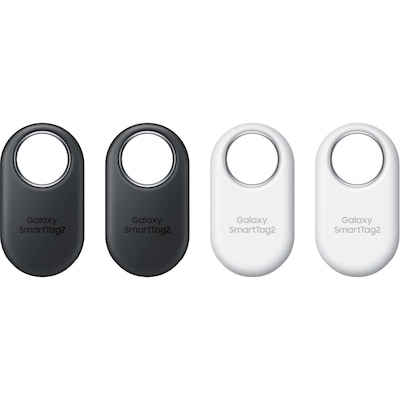
$139.99
$139.99
Plus tax
2,085 PC Optimum points
Colour: Black/White
Quantity
1

Shipping
-
Available at select locations.

Pickup
-
Available at select stores.

Same-day delivery
-
Available at select locations.
Price, promotions, and stock availability subject to change. $8 fee applies to shipping orders below $35. Pickup times vary. *A government mandated bag fee of up to $0.75, based on your province and selected store applies to pickup orders. Fees appear at checkout.
About this product
Item #887276782829
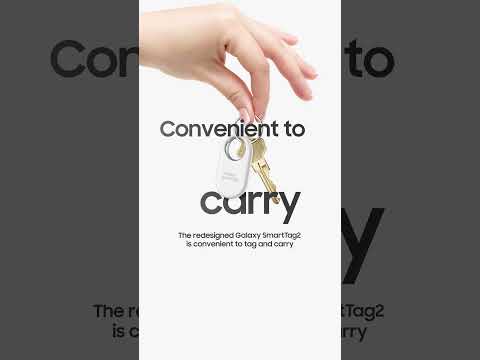
Effortlessly locate your valuable belongings with the Samsung Galaxy SmartTag2 Bluetooth and NFC-enabled tracker. Simply tap the ring button on your mobile and follow the distinctive sound of your chosen ringtone to find your misplaced item in close proximity. It can be attached to keys, bags, or even your pet to make sure that you never lose sight of what matters most.
Features & benefits
Bluetooth 5.3 offers enhanced connectivity for tracking and locating your belongings with greater accuracy and efficiency. Works on the Galaxy Find Network to ensure that even when offline, scanned data can be utilized to locate your items privately. AR Finding feature guides you step-by-step to locate your lost items using augmented reality technology. SmartThings app (requires installation) allows easy management of your tracker to track and locate your valuable things effortlessly.
How to use
Checking a product’s location:
You can remotely check your product’s location from the SmartThings app on your mobile device and find its location by triggering a notification sound on the product. Open the SmartThings app on your mobile device. Tap Devices, tap your product card, and then tap View map. Alternatively, tap Life → Find. The current location of the product will be displayed on the map.
Getting route guidance:
If your product is lost or far away from you, you may be directed to the location where the product is located. Open the SmartThings app on your mobile device. Tap Life → Find → More → Navigate. Directions to the place where the product is located will begin.
Finding a mobile device:
If you do not find your mobile device connected to the product nearby, the product can help you find it. Press the product’s button twice. The mobile device connected to the product will sound its ringtone. To turn off the ringtone on your mobile device, follow the on-screen instructions or press the product’s button twice.